
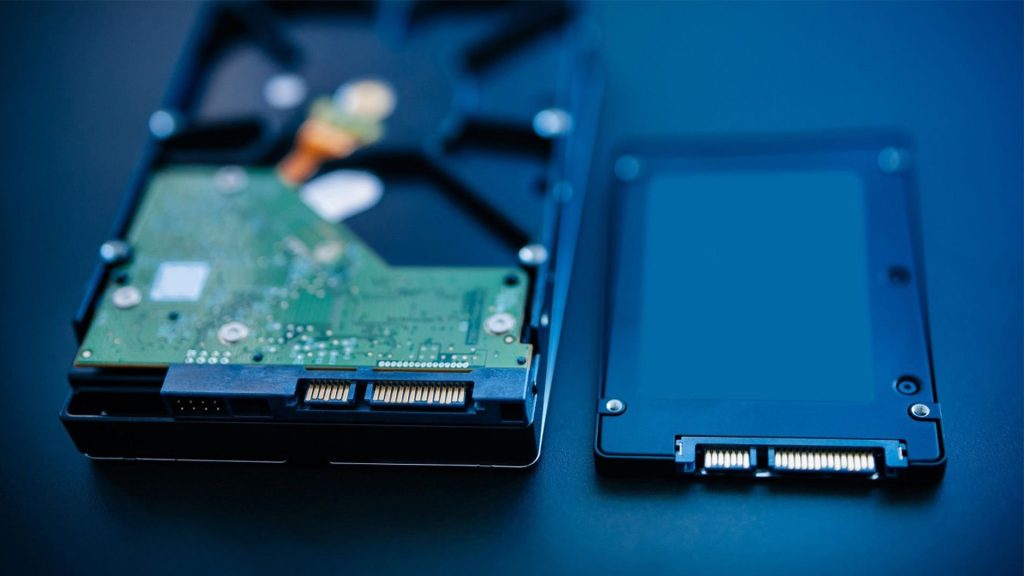
SSDs vs. HDDs: Choosing the Right Storage for Your Needs
Few things are as frustrating as a sluggish computer. You click to open an application, only to find yourself waiting impatiently for it to respond. If this sounds familiar, you’ve likely wondered how to improve your device’s speed. A critical factor in your computer’s performance lies in its storage drive, with the two main options being Solid State Drives (SSDs) and Hard Disk Drives (HDDs).
SSDs are celebrated for their speed and efficiency, while HDDs are favored for their larger storage capacity and affordability. Understanding the differences between these storage types is essential for selecting the one that aligns best with your requirements and budget. In this article, we’ll break down the key distinctions between SSDs and HDDs to guide you in making the right choice for your setup.
Understanding SSDs: Speed and Performance
SSD Technology Explained: How Solid State Drives Work
SSDs use flash memory to store data, which means they have no moving parts like HDDs. They rely on NAND flash memory technology, providing faster access to files. According to a study by Kingston, NAND flash memory allows for quicker data retrieval, leading to enhanced device performance.
Performance Advantages of SSDs: Speed Benchmarks and Real-World Impact
When comparing speeds, SSDs shine brightly. Data shows that:
- Boot Time: SSDs typically boot in about 10-20 seconds while HDDs take around 1-2 minutes.
- Application Load Times: Applications load up to 3-4 times faster on SSDs.
- File Transfer Speeds: SSDs can transfer large files in a fraction of the time it takes an HDD.
For example, upgrading from an HDD to an SSD reduced my boot time from 2 minutes to just 10 seconds.
SSD Types: NVMe vs. SATA
Not all SSDs are created equal. They generally fall into two categories based on their interface: SATA and NVMe. SATA SSDs typically offer read speeds of up to 600 MB/s and write speeds of up to 550 MB/s, making them a solid choice for everyday tasks. On the other hand, NVMe SSDs are significantly faster, with read speeds of up to 3500 MB/s and write speeds of up to 3000 MB/s. While NVMe SSDs provide much faster speeds, they tend to come at a higher price point. This makes them ideal for users who need high-speed performance for tasks like gaming, video editing, or running demanding applications, while SATA SSDs are more budget-friendly and sufficient for general computing needs.
Understanding HDDs: Capacity and Cost-Effectiveness
HDD Technology Explained: How Hard Disk Drives Work
HDDs store data on magnetic disks that spin at high speeds. They have mechanical parts, and their design can make them prone to wear and tear. A study by BackBlaze shows the limitations of mechanical storage, leading to potential failures over time.
Cost-Effectiveness of HDDs: Price per Gigabyte Comparison
In terms of price, HDDs usually win. As of October 2023, the average cost for SSD storage is higher per gigabyte than HDDs.
- Average SSD Cost: $0.10 to $0.25 per GB
- Average HDD Cost: $0.02 to $0.06 per GB
HDD Capacity: The Case for Large Storage Needs
HDDs have higher capacity options, making them ideal for users requiring significant storage. For instance, a 10TB HDD is excellent for archiving large video projects, perfect for photographers and videographers.
SSD vs. HDD: A Feature-by-Feature Comparison
Speed and Performance: A Direct Comparison
When comparing SSDs and HDDs directly, SSDs outperform in all key areas. For boot time, an SSD typically boots a system in 10-20 seconds, while an HDD can take 1-2 minutes. In terms of file transfer speed, SSDs offer speeds of up to 3500 MB/s, far surpassing HDDs, which max out at around 160 MB/s. Additionally, SSDs load applications 3-4 times faster than HDDs, significantly improving overall system performance and responsiveness. These differences make SSDs the preferred choice for those seeking faster, more efficient computing.
Durability and Reliability: Factors to Consider
SSDs typically have superior durability with no moving parts. This makes them more shock-resistant. A study from TechRadar confirms that SSDs have lower failure rates, especially compared to HDDs that can be damaged by drops or impacts.
Power Consumption: Energy Efficiency Differences
SSDs consume less power than HDDs. This can lead to better battery life for laptops. Users can see energy savings while enjoying quiet operation.
Choosing the Right Drive: Factors to Consider
Budget: Balancing Cost and Performance
Choosing the right drive involves balancing cost and performance. A budget-focused user may opt for an HDD for mass storage, while a gamer might prioritize an SSD for faster load times.
Use Case: Matching Storage to Your Needs
- SSDs work best for:
- Gaming
- Professional applications needing speed
- HDDs are ideal for:
- Mass storage
- Archiving large files
Future-Proofing Your System: Long-Term Considerations
Consider potential future upgrades when selecting a drive. An SSD might provide a longer lifespan and performance boost, while an HDD may need changing sooner due to mechanical wear.
Conclusion: Key Takeaways and Recommendations
In summary, SSDs offer speed and durability, while HDDs provide more storage for a lower cost. When deciding, consider your budget and your specific use case. For high-speed tasks, an SSD is worth the investment. For archiving or mass storage, an HDD is a logical choice.
Ultimately, weighing performance against cost will lead you to the storage solution that best fits your needs. Make a choice today that empowers your computer experience!
