In the world of printing, users are constantly seeking ways to achieve high-quality prints that meet their diverse needs and ensure a high level of productivity. In this article, we will discuss laser printers and inkjet printers, the advantages of each, their color accuracy, and printing speed. We will also determine which is better for achieving excellent print quality.
Choosing the right printer greatly impacts your productivity level, and this analysis will help you select the printer that meets your needs and aspirations.
A Comprehensive Comparison Between Laser Printers and Inkjet Printers
Laser printers and inkjet printers are among the best options available on the market today, each boasting remarkable features that we will explore now.
Laser Printers:
- High print quality: Thanks to laser printing technology, they can deliver clear texts, precise graphics, and professional images.
- High print resolution: Ensuring minimal need to use additional pages for correcting spelling errors or reprinting unclear texts.
- Ideal for offices and high-volume printing: Laser printers offer high-speed printing, capable of printing 10 pages per minute.
- Cost-effective printing: Especially when printing large volumes of documents, laser printers have a lower cost per page.
- Efficient ink usage: Making them an economical choice in the long run.
- Long lifespan: Laser printers have a longer lifespan compared to inkjet printers.
- Low maintenance needs: Although they require some periodic maintenance to ensure consistent quality and efficiency, such as cleaning the printer and regularly replacing toner cartridges.
- Automatic duplex printing: This feature helps save paper, space, time, and effort by allowing double-sided printing.
- Multiple connectivity options: Including wireless (Wi-Fi), Bluetooth, USB, NFC, and mobile device connectivity.
- Robust security features: Protecting data and documents with encryption and identity verification.
- Compatibility with various paper types: Suitable for regular, heavy, and transparent papers.
- Noise reduction technologies: Important for maintaining a conducive work environment.
- Low energy consumption: Featuring quick warm-up times before starting to print.
Inkjet Printer:
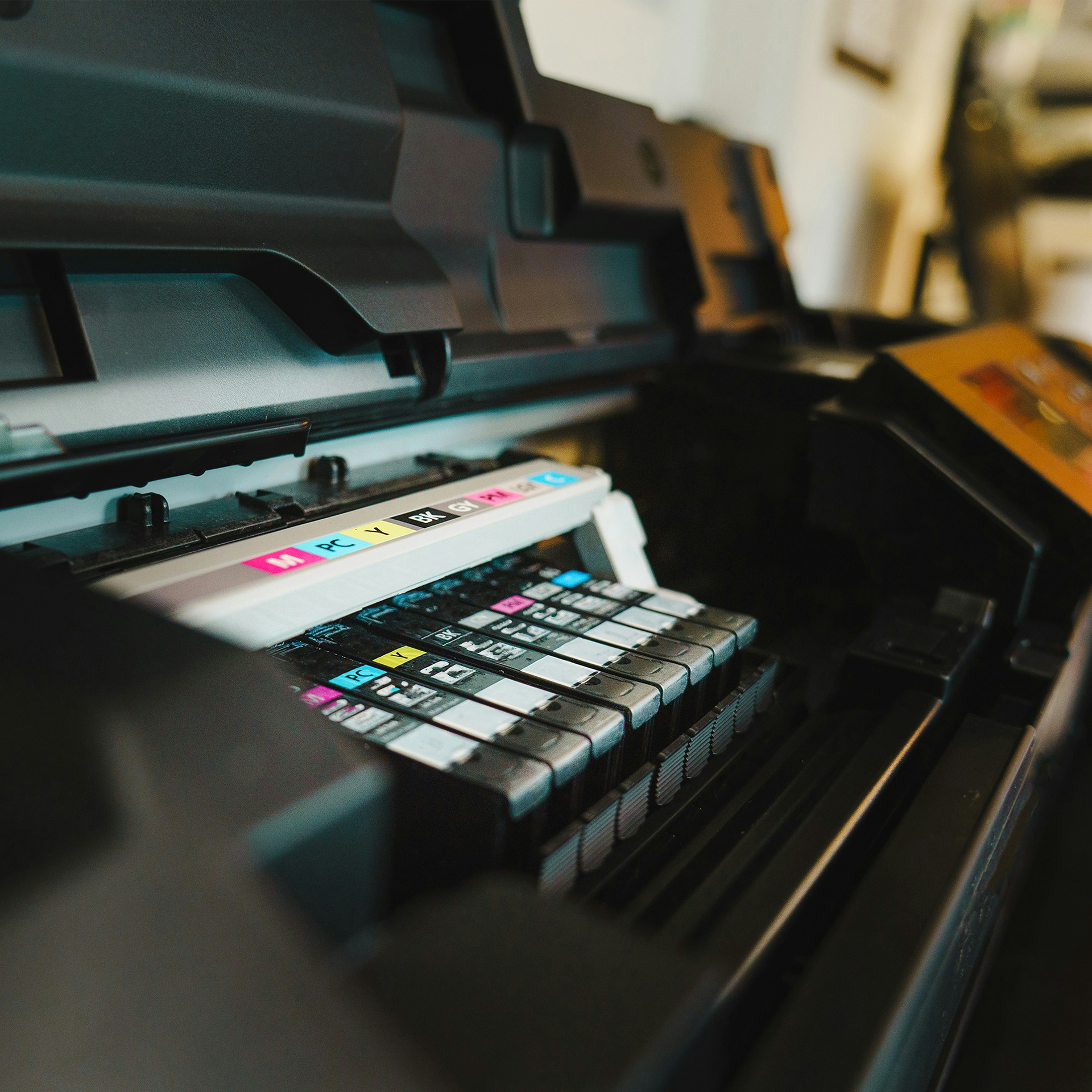
An exceptional printer with various technologies and high capabilities, it operates by spraying ink droplets onto paper to create images and texts. Now, we will detail all the advantages of this printer and highlight what sets it apart from a laser printer:
- High Print Quality: Thanks to technologies like digital printing, which converts digital data into tangible prints. It involves transforming digital images or texts into a series of instructions that inform the print head about the amount of ink to be sprayed at each point on the paper. Thus, it excels in printing images and graphics due to its high precision in ink spraying and producing vibrant colors.
- Ideal for Homes and Small Offices: It is lightweight and compact.
- Multifunctional: It does not only print but also scans, copies, and prints from the internet.
- Low Purchase Cost:Compared to laser printers.
- Durable Design:It is designed to avoid frequent malfunctions and withstand heavy usage.
- Consistent High-Quality Output:Offers a simple maintenance system with automatic printhead cleaning and technologies that prevent nozzle clogging.
- Multiple Connectivity Options:Supports wireless connectivity via Wi-Fi, cloud printing services, and compatibility with many applications for document scanning, remote control, and direct cloud printing.
- Integrated Security System:Supports encrypted communications over wired and wireless networks and identity verification through passwords or fingerprints, among others.
Comparison of the Disadvantages of Inkjet Printers and Laser Printers
Despite the many advantages offered by both, there are some drawbacks that should be considered before making a purchase decision. We will discuss these disadvantages now.
Laser Printers:
- The purchase cost of the printer itself is high compared to the cost of an inkjet printer, making it unsuitable for users with a limited budget.
- The printer is large and heavy, making it unsuitable for small spaces.
- The print quality of photographic images and graphics is lower than that of an inkjet printer.
- Its energy consumption is higher than that of an inkjet printer, especially during warm-up for printing.
Inkjet Printers:
- The cost of printing is high due to the expensive ink cartridges, resulting in a higher cost per page compared to printing the same page with a laser printer.
- The printing speed is slower than that of a laser printer, which becomes evident when printing large quantities of paper.
- The print quality of text is lower, especially when printing small fonts, as the ink may smudge on the paper and can be sensitive to certain types of paper.
- If the printer is not used regularly, the ink may dry out and clog the nozzles.
Is Printing a Smart Investment Worth Making or a Financial Burden?
Determining this depends on your needs, the amount of work required, and the available budget.
Here are the key points to help you decide:
- Determine the Amount of Paper You Need to Print Monthly:If printing is an essential part of your daily work, such as in offices, companies, creative businesses, etc., investing in a modern printer is a smart and beneficial investment. It will positively impact productivity, time spent, and convenience since you will be able to print instantly whether in the office, workplace, or at home, and you will also be able to maintain complete privacy of your data.
- Determine the Print Quality You Desire: Owning a printer allows you to have full control over the print quality. Through the settings, you can specify the level of quality you need.
- Compare the Cost of External Printing to the Cost of Printing with Your Own Printer: Consider the cost of ink or ink cartridges, the cost of printing paper, and the cost of regular maintenance. If the cost of printing from a personal printer is lower, then owning one will be a smart investment.
How to Maintain Print Quality
Maintaining the printer is crucial to prolonging its lifespan, reducing malfunctions and maintenance costs, and ensuring continuous high-quality printing. Here are the essential tips and steps to maintain your printer:
- Use High-Quality and Appropriate Paper for Your Printer: This plays a significant role in improving print quality. Avoid using damp or torn paper.
- Use Original and Compatible Ink Cartridges: This helps protect the printer from damage and ensures excellent print quality.
- Adjust the Print Resolution to DPI:To achieve precise and clear print results.
- Regularly Update Printer Drivers:Obtain the latest versions from the manufacturer’s website.
- Ensure Regular Cleaning and Maintenance of the Printer:To remove any ink residues or dust accumulation by following the manufacturer’s instructions.
- Refer to the User Manual or Seek Technical Support: If any issues arise in print quality.
- Replace Any Damaged Parts or Components Promptly: To maintain print quality.
- Properly Store Printing Materials: Keep them in a dry, cool place away from direct sunlight to prevent any adverse effects on print quality.
In conclusion, we emphasize that choosing between laser and inkjet printers depends on your printing needs and available budget. Purchasing a printer is a smart investment if you select the ideal and suitable type that meets your needs and facilitates your work. In this article, we have discussed in detail the advantages and disadvantages of each printer, enabling you to answer the question, “Which is better?” The printer of your dreams is now a decision in your hands!